Minds in Adobe Express: private add-on guide
Export an approved Express page, connect a Minds Study and inspect a research draft. Includes private installation, screenshots, data handling and public-release blockers.
Minds Creative Review prepares audience research from the current Adobe Express page. Minds is the end-to-end platform for commercial synthetic research, connecting qualitative and quantitative work across Audiences and Studies. This add-on is a private development integration, not a public Adobe Express marketplace release.
Versions and verified behavior
Status checked on 2026-10-01. Private package 0.1.10 passed Adobe validation and native PNG export, transfer consent, authenticated owned upload, draft creation and exact-draft navigation. The package includes recovery after an expired gateway connection.
The separately saved public listing draft is package 0.1.11, also validated. Adobe reserves versions across private testing and public drafts, so these versions differ. Validation and a saved draft do not establish public approval.
Open the exact saved draft in Minds to review its material, questions, Audience and usage before explicitly confirming research. Return only findings from that draft’s completed run. Provider registration and public marketplace approval remain separate gates.
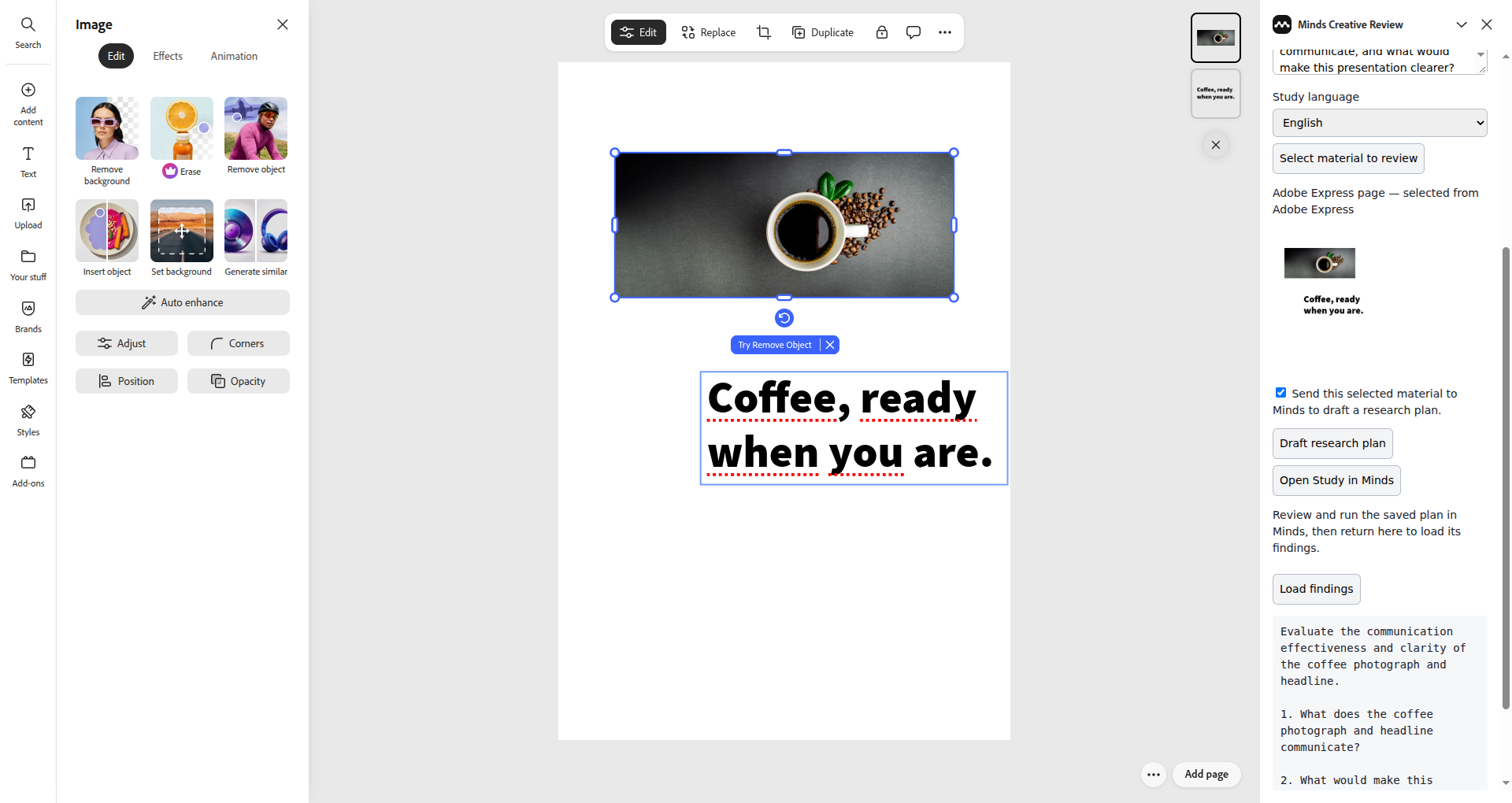
This native host capture shows approved source material and the saved-draft workflow in an owned synthetic QA document. Material-transfer consent and research execution confirmation are separate steps.
Requirements and private installation
You need an Express account with developer testing access, an authorized private installation, a Minds account and an existing Study with an Audience. The manifest targets desktop Express and does not declare touch support. Verify permission to edit and export the document.
Enable developer mode, open the owner-provided private installation and add Minds Creative Review to a QA document through Adobe's own distribution flow. Private claim links are access material and must not appear in guides or screenshots. There is no public install link yet.
Check the installed version before comparing behavior: saving a newer public draft does not update an older private install. Keep reviewer instructions tied to the exact package under test, and never enter credentials into research requests or design text.
Connect and select a Study
Select Connect Minds in the add-on. Approve native Minds browser authorization, return to Express and select Refresh Studies. Choose an existing Study with the intended Audience. An Adobe document does not automatically determine the research population or Minds workspace.
The panel loads the first 100 Studies. Verify account and list scope if the intended Study is missing. The package declares sandbox popup permissions for the authorization window; if the browser blocks it, allow the intended Minds popup and retry. Cancelling consent must not authorize a research draft.
Export the approved current page
Select Select material to review. The adapter checks Adobe's export permission before creating a rendition. If the document needs approval, obtain that approval in the host; do not bypass the exportAllowed check.
The adapter requests one PNG rendition of the current page. It does not automatically export every page. Navigate to the intended page, inspect the material label and preview, and remove unrelated private data from a dedicated QA document.
The selected image remains a local blob until transfer is approved and a draft requested. Tick consent only after inspecting the selection. New material clears consent and the previous retry identity. Export approval, material-transfer consent and research execution approval are distinct decisions.
Draft and inspect research
Enter a concrete objective, such as: “What does this page communicate first, which parts confuse this Audience, and how convincing is the proposed next step?” Choose the Study language and select Draft research plan.
The gateway verifies the PNG, uploads it through the authenticated Minds endpoint and previews research with the owned source. Inspect the saved response for the intended material, objective, language and questions. Unchanged input in the current panel reuses an idempotency identifier; changed input receives a new identifier.
Open the exact saved draft in Minds to review its material, questions, Audience and usage before explicitly confirming research. Return only findings from that draft’s completed run. Provider registration and public marketplace approval remain separate gates.
Read existing findings
Complete this saved draft in Minds, then return to the original add-on panel and select Load findings. The add-on displays findings from that exact completed run for review. This first Express adapter has no implemented Add findings to design operation; users apply the learning while editing the design themselves.
Production acceptance on 2026-10-01 completed the entire native private 0.1.10 workflow with an owned synthetic headline page: PNG export, source consent, saved draft, review of one question and an Audience of 20 Minds, explicit confirmation, completed research and exact-run findings displayed in Express. Reload resumed the same confirmed run. Missing, incomplete, mismatched or empty results are rejected.
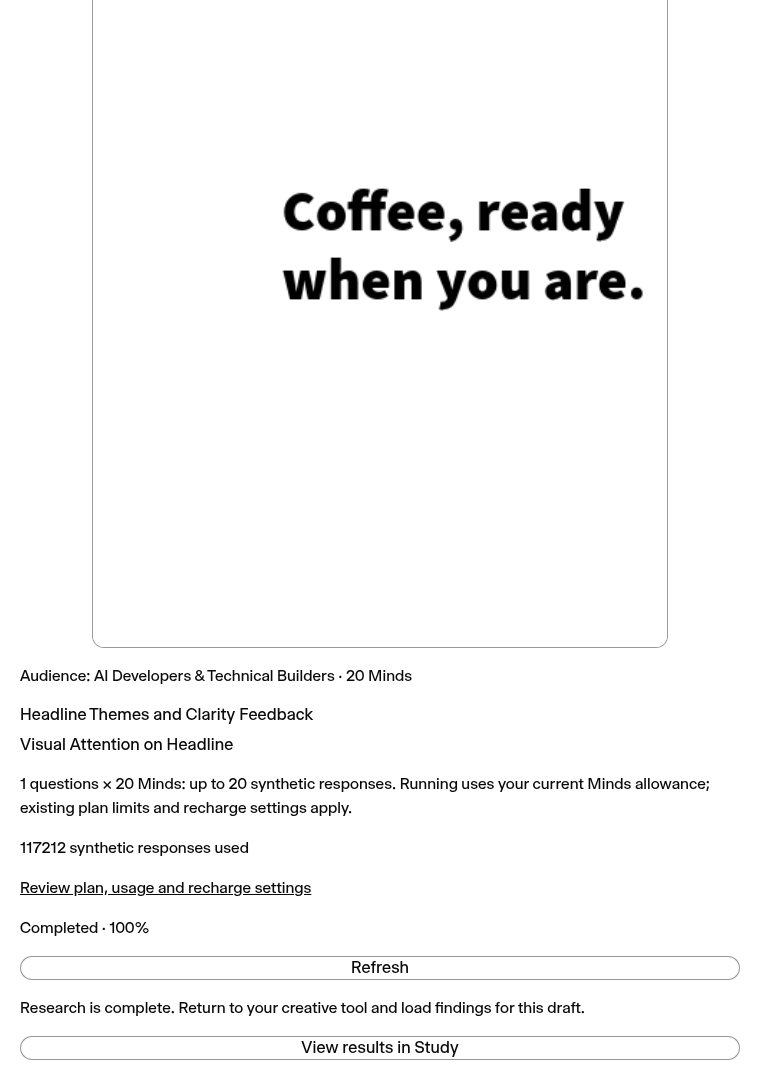
The exact saved plan completed on production after explicit review and confirmation.
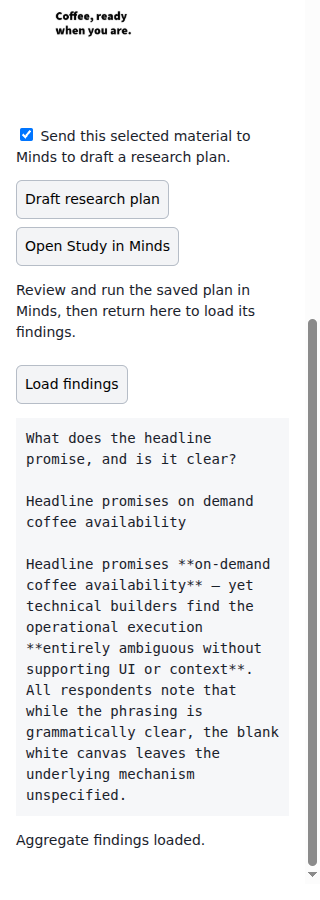
Adobe Express returned the completed run’s findings for reading in the add-on; applying changes to the design is manual.
Data and disconnection
OAuth access and refresh tokens remain in the gateway. The panel holds an opaque short-lived capability in memory without storing credentials locally. The single-process pilot uses one-hour sessions, and restart, expiration or panel reload can require reconnection.
Disconnect clears selected material and displayed findings and removes the gateway session, with an attempted upstream revocation. It does not delete PNG material already imported into a Study. Manage retained research under the Minds privacy policy. Keep synthetic findings scoped to directional decisions and use appropriate human validation when required.
Review, confirm and run the saved plan
The saved-draft workflow opens the exact research plan in Minds. The gateway and private Zapier 1.2.0 package return completed findings tied to that draft. Review and execution happen in Minds; public marketplace availability depends on each provider’s registration and approval. Follow these steps:
- Open Study in Minds from the panel, or open the Review URL returned by Zapier. Sign in to the account that created the draft.
- Inspect the imported source, research objective, language, every question and the selected Audience. Verify that the material and population match the decision you want to make.
- Answer any missing-input or clarification questions and save the revised plan. Review the updated questions again; the confirmation applies to that exact revision.
- Review the available response allowance and estimated usage where the method allows an estimate. Methods that prepare additional questions during execution do not present a false fixed total. Resolve missing Audiences, empty populations or account limits before confirming.
- Tick the explicit research confirmation. If the plan uses an advanced method, review and accept its separate opt-in. Select Confirm and run once. Opening the link, importing material and previewing a plan do not execute research.
- Follow this run's queued, running, completed or failed status. Reloading the same draft resumes its confirmed run rather than creating another one. Before confirmation, reloading requires fresh consent. An error preserves the saved draft for inspection and retry.
- Return to the original panel and select Load findings, or use Zapier's Get Completed Research Results search with the saved Study ID and Draft Plan ID. Only completed results from this draft's confirmed run are returned. Incomplete, failed or missing runs do not fall back to an older Study summary.
Keep the original panel open while research runs. Its short-lived connection and draft selection live in memory. Reloading the host panel or reconnecting may require selecting material and drafting again. The saved draft and its confirmed run remain in Minds even when the panel session ends. Return to the Study in Minds to inspect retained results.
Troubleshooting
| Symptom | Next step |
|---|---|
| Illegal invocation during connection | Private 0.1.0 exposed a fetch receiver error. It was corrected before native 0.1.3 acceptance. |
| Authorization popup does not open | Check browser popup permission and the declared sandbox popup permissions. |
| Export needs approval | Complete the host's approval before selecting the material again. |
| Multiple renditions are returned | Verify the current-page path and retain the host error for acceptance. |
| Saved draft is absent from the native Study | Verify the matching frontend release, draft link and creator account. |
| Findings are missing | Complete the selected draft's run; preview-only drafts have no new findings. |
Public listing and release gates
The saved listing draft contains official Minds artwork, descriptions, support, privacy and terms links. Public approval is separate from the implemented saved-draft workflow. Complete accurate screenshots, reviewer access, AI-use and monetization declarations, trader details and native host acceptance before submitting.
Repeat OAuth approval/cancellation/revocation, export restrictions, consent, owned-source checks, retry behavior, summary absence and session expiration in the real host. The cost review, explicit confirmation and execution handoff passed native production acceptance. A validated package or saved listing is not a provider-reviewed public release.
Use Adobe's rendition guide and manifest reference. Compare Canva, Figma Creative Review, GenStudio and the integration directory.